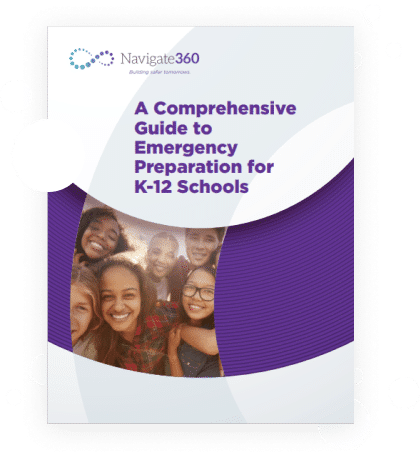
Emergency Management
Prepare staff and students for any emergency.
Go beyond lockdown drills—build a connected ecosystem for comprehensive emergency management and compliance.
Navigate360’s cloud-based Emergency Management software helps K–12 schools simplify safety planning, ensure compliance, and respond with confidence to both critical events and everyday incidents.
Emergency Management brings together the essential tools needed to prepare, prevent, inform, respond, and reunify in one platform—giving your team full visibility, accountability, and faster response across the full spectrum of school safety.
Operations Planning
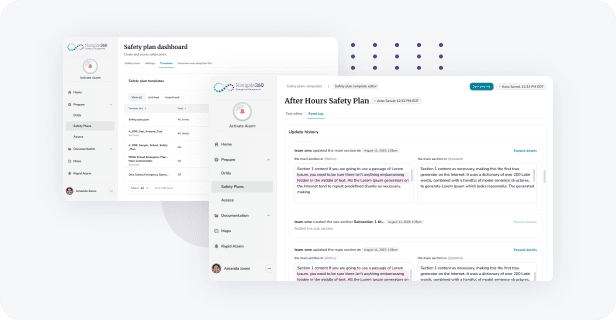
Use FEMA or state-specific safety plans in a user-friendly Emergency Management interface to create Emergency Operations Plans (EOP) that comply with district and state regulations.
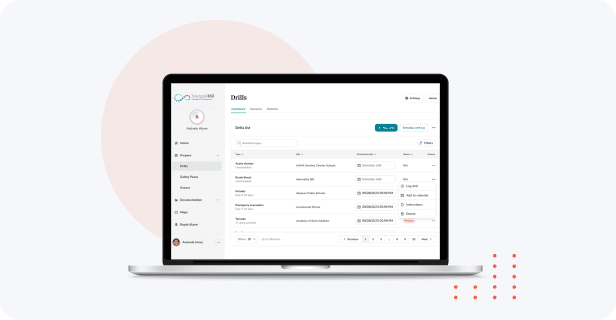
Drill Management
Create drills, integrate standardized incident response protocols and playbooks, and ensure ongoing compliance with district and state requirements for drill scheduling, tracking, and reporting.
Identify Security Vulnerabilities
Ensure your safety policies are comprehensive and compliant. With the built-in Assess feature, conduct in-house audits using standard or custom templates aligned with state and federal regulations. Prefer expert support? Our Security Audit service pairs you with seasoned assessors who evaluate your protocols against best practices and compliance standards.
Emergency Information Access
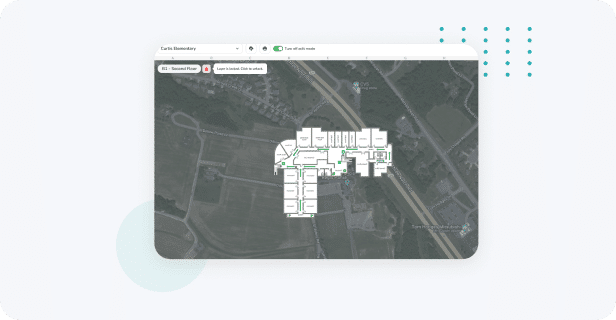
Empower safety teams and first responders with immediate on-line access to site maps and floor plans, EOPs, staff and student information, and call lists.
Rapid Alarm + Panic Buttons
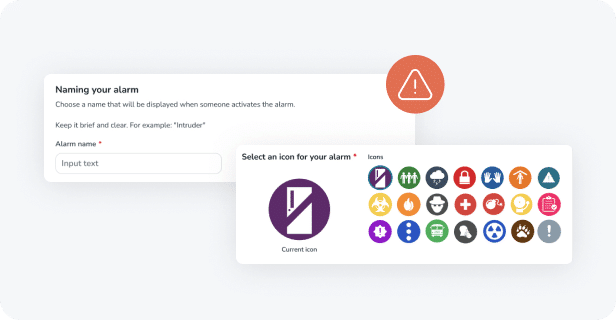
Accelerate emergency response with seven integrated alerting methods—far beyond what other providers offer. Whether teaching at a desk, walking the halls, or out on the playground, staff can discreetly activate alerts.
- Wearable badges
- Computer panic application
- Keyboard panic button
- Wall-mounted panic button
- Mobile panic application
- Desk phone panic button
- Smartwatch
In partnership with 911Cellular, these options ensure Alyssa’s Law compliance and enable instant, schoolwide communication with unmatched reach.
Roll Call
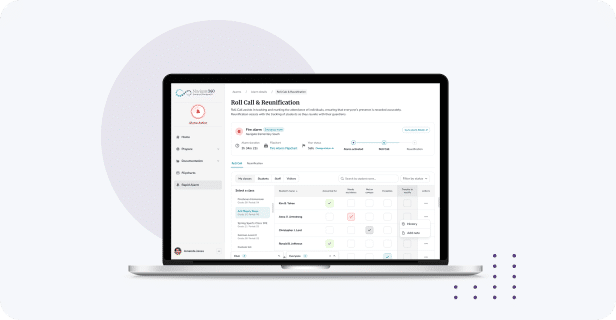
Integrate your school’s Student Information System with Emergency Management to ensure rapid, accurate accounting for all students and staff during and following an emergency.
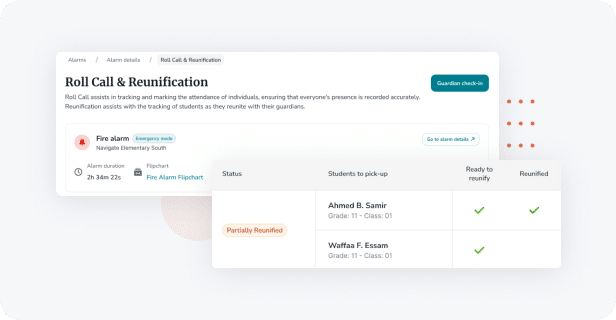
Reunification
Plan and implement a rapid student-guardian reunification process that forestalls the emotional difficulties experienced following an emergency.
Learn how one district built a scalable, tech-driven safety ecosystem—without adding complexity.
What happens when a rural Arizona district turns to one trusted partner for all its safety needs? In this firsthand account, Augie Ballesteros, Safety & Preparedness Supervisor at Douglas USD, shares how his team expanded from ALICE Training® to a fully integrated Emergency Management platform with Panic Buttons from Navigate360.
“Navigate360 is really that simple: regardless of the emergency, the appropriate tools are right in the palm of your hand.” —Augie Ballesteros, Safety & Preparedness Supervisor at Douglas USD
Exciting New Enhancements
As school safety standards evolve, Navigate360 Emergency Management evolves with them, helping schools stay prepared, responsive, and compliant with less manual effort. Our latest enhancements streamline critical workflows – saving time, reducing risk, and helping staff focus on what matters most: student safety.
What’s new?
Safety Plans Enhancements
Our redesigned Safety Plans feature streamlines the creation and upkeep of Emergency Operations Plans (EOPs), reducing time-consuming manual work and simplifying compliance documentation.
- Streamlined web experience for building and managing EOPs
- Improved interface performance and customizable fields for tailored documentation
- Keeps plans organized, accessible, and audit-ready
Real-Time Mobile App Access
Educators can now view their school’s maps directly in the mobile app to instantly locate evacuation routes and safety zones during a drill or emergency, ensuring faster, more informed responses.
Automated CRG Map Integration
CRG Maps will now automatically update within Emergency Management, eliminating redundant administrative work and keeping visual mapping current and accurate.
Learn more about the latest updates designed to keep your campus and community safe.
Options & Services
Take your emergency management capabilities to the next level.
Risk Assessments
Perform a comprehensive assessment of your level of preparedness and your ability to respond to an emergency—and learn how to improve both.
Silent Panic Button
Ensure Alyssa’s Law compliance with silent alerting and send critical incident information to first responders with mobile, desktop, wearable, and wall-mounted “panic buttons” powered by 911Cellular.
Site Mapping
Guide first responders with precise, interactive critical incident maps and floor plans prepared by Navigate360 or in partnership with Critical Response Group to help reduce response times.
Security Audits

Ensure current security policies and procedures are complete, up-to-date, and aligned with best practices and compliance requirements.
Campus Safety Award Winner
Navigate360 Emergency Management + Visitor Management won the 2023 Campus Safety Award for best Emergency Communications/Emergency Notification/Mass Notification solution.
Set a course for zero incidents.
Connect with a Navigate360 safety and well-being expert to discuss your Emergency Management needs.
Set a course for zero incidents.
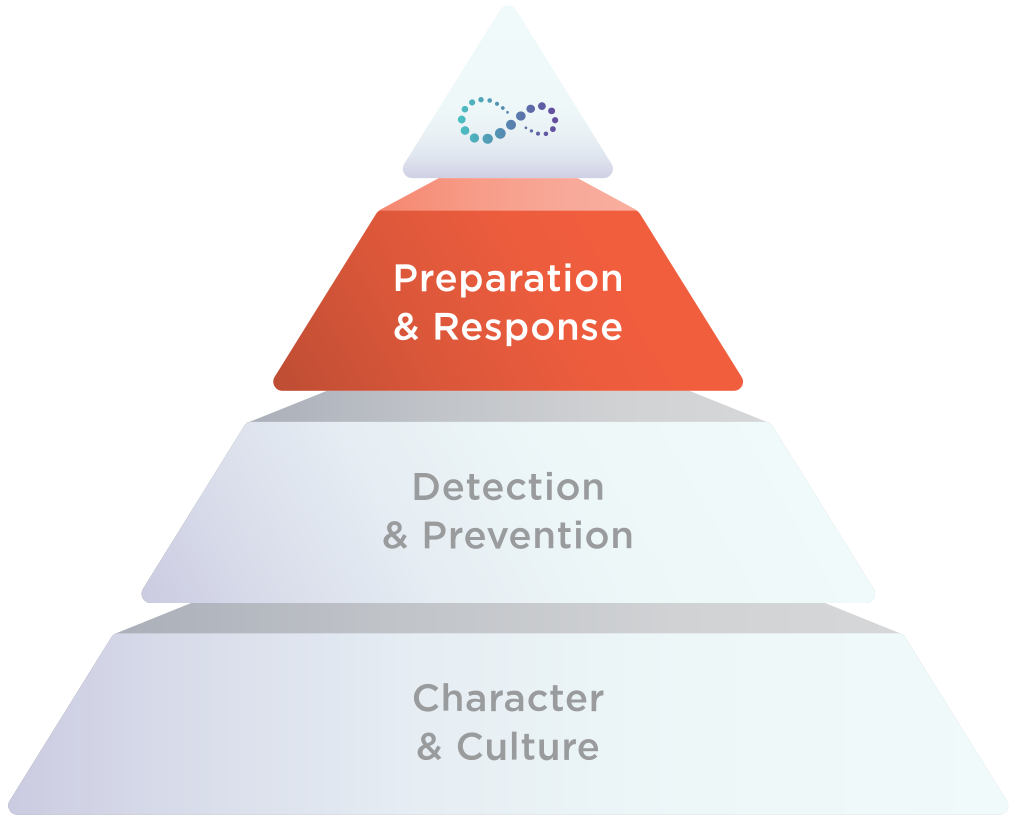
Take a layered, holistic approach to school safety with Navigate360 technology, training, and guidance to move you closer to your goal.
Discover more Navigate360 Preparation & Response solutions.
Blogs that may interest you:
Is Your Threat Assessment Team Missing a Critical Voice? 4 Things to Consider
School safety today demands more than policies and protocols—it requires people. Effective threat assessment is a human-centered process, and ensuring the right people are at the table can make all the difference in identifying concerns early and responding...
How Navigate360 Visitor Management Strengthens Guardian-Initiated Late Check-ins & Early Dismissals Security
Every school day, the front desk serves as the first line of defense for student safety. When a guardian arrives to drop off a student late or pick them up early, the process must balance efficiency and ease with strict security measures. Many schools still rely on...
From Check-In to Engagement: Supporting Volunteer Management at Scale with Navigate360
Engaged families and communities are the backbone of thriving school environments. But managing their engagement shouldn't overwhelm staff or compromise safety. Today’s campuses need smarter, safer ways to bring visitors and volunteers into schools, events, and...
6 Critical Components Every School Safety Program Needs — Including the 2 Most Overlooked
Creating a safe learning environment has never been more complex. From natural disasters to acts of violence, today’s school leaders must prepare for a range of threats while also protecting the emotional well-being of students and staff. While many districts have...
Empowering Schools to Respond in Seconds
When tragedy strikes, every second counts. Every school has an emergency response plan, but when a crisis strikes, the real question is: Will it work and save lives? That question was front and center during Navigate360’s recent webinar, “Empowering Schools to Respond...
How to Choose the Right School Safety Technology for Your District
Learn what a panic button is, how it works, and its role in personal safety, school security, and emergency response systems.
Preparing for TEA’s Mandatory School Safety Audit– A Step-by-Step Guide for Texas Districts
Is Your District Ready for TEA’s Required Safety Audit? School safety and security is more than just a priority—it’s a mandate. The Texas Education Agency (TEA) requires all public school districts to conduct a comprehensive safety audit every three years to ensure...
New Arkansas School Safety Grant
Navigate360’s holistic safety solutions empower schools to reduce incidents, enhance preparedness, and foster student well-being through proactive, layered strategies. Click here to learn more.
What is a Panic Button? Enhancing Safety in Critical Situations
Learn what a panic button is, how it works, and its role in personal safety, school security, and emergency response systems.
How to Build Trauma-Informed Practices into Your School Crisis Recovery Plan
Learn how to build trauma-informed practices into school crisis recovery plans. Discover expert insights and actionable strategies for healing.